Advanced
Backup & restore (including scheduled backups), scheduled channel reset, Gracenote category overrides, and the data caches.
Backup & Restore
A backup is a complete copy of the Teamarr database — teams, templates, sources, settings, history, everything. The card has three sub-sections:
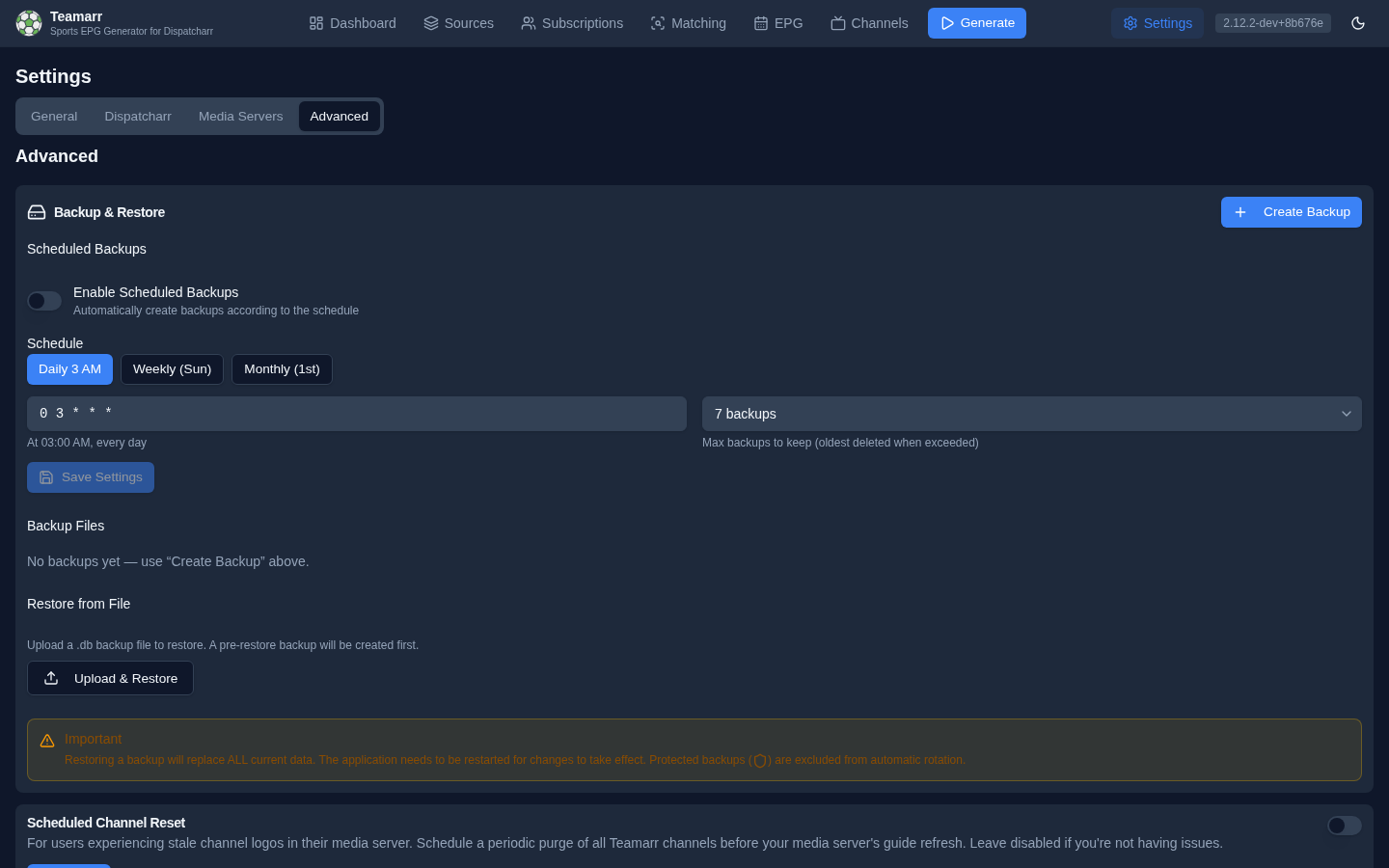
Scheduled Backups
Automatic backups on a cron schedule:
| Field | Description |
|---|---|
| Enable Scheduled Backups | Toggle the schedule on/off |
| Schedule (Cron Expression) | Standard cron; presets: Daily 3 AM (0 3 * * *), Weekly Sun (0 3 * * 0), Monthly 1st (0 3 1 * *) |
| Max backups to keep | 3 / 5 / 7 / 14 / 30 — the oldest backup is deleted when the limit is exceeded |
Backups are written to ./data/backups (the path is settable via PUT /backup/settings; no UI field).
Backup Files
Create Backup takes a manual backup on demand. A dropdown below lists your backups; selecting one shows its size, date, and manual/scheduled type badge, with actions for the selected file:
- Download the file
- Restore from it
- Protect/unprotect — a protected backup is excluded from rotation and can’t be deleted
- Delete
Restore from File
Upload a .db backup file to restore. A backup of your current data is automatically created first (its path is shown in the confirmation toast).
Restoring a backup replaces ALL current data. Restart the application after a restore.
Scheduled Channel Reset
For users experiencing stale channel logos in their media server (e.g. Jellyfin). Schedule a periodic purge of all Teamarr channels before your media server’s guide refresh; the channels are recreated on the next EPG generation. Leave disabled unless you’re seeing this problem.
| Field | Description |
|---|---|
| Enable Scheduled Channel Reset | Toggle the periodic reset on/off |
| Reset Schedule (Cron Expression) | Standard cron format; presets at 2:30 / 3:30 / 4:30 / 5:30 AM. A plain-English description confirms the expression |
Set this to run shortly before your media server’s scheduled guide refresh.
Gracenote Category Overrides
Customize what the {gracenote_category} template variable renders for any league — the value professional guides use as the program title (“NFL Football”, “NASCAR Cup Series”). Two facts worth knowing: overrides survive Teamarr updates (built-in league data is re-seeded on every startup; overrides live separately and always win), and clearing an override restores the built-in value, which is shown alongside each entry.
Logging
Console log level changes the verbosity of the console/docker logs stream at runtime — no restart needed. Pick DEBUG for temporary troubleshooting, *arr-style.
Two things to know:
- It’s temporary by design. A restart returns to the
LOG_LEVELenvironment default (INFO unless overridden). If you want a permanently different level, setLOG_LEVELinstead. - The log file always captures DEBUG.
data/logs/teamarr.logrecords full debug detail at all times regardless of this setting — if something already went wrong, the debug trail is on disk.
Data Caches
Teamarr maintains several caches, each with a tile and a clear/refresh action. Tiles show live counts where available; the Directory tile also shows the last refresh time, duration, and any error.
| Cache | Contents | Action |
|---|---|---|
| Team & League Directory | Cached teams and leagues from ESPN and TheSportsDB (enables offline matching) | Refresh Directory — pull the latest team/league data. A Directory Stale badge appears when the directory is over a week old |
| Game Data Cache | Schedules, scores, and odds (shows active entries and pending writes) | Clear Game Cache |
| Stream Match Cache | Stream-to-event fingerprint matches | Clear Match Cache |
| Run History | Processing-run logs and statistics (auto-cleaned to 30 days after each run) | Clear Run History |
The Team & League Directory refreshes automatically on every startup unless the SKIP_CACHE_REFRESH environment variable is set. Manual refresh is useful after adding new leagues or when team rosters change significantly. Clearing the game-data or match caches forces fresh lookups on the next generation run.