Matching
Matching is how Teamarr turns a raw stream name into a real event. When a stream is called Niners @ Cowboys or DIRECTO España - Inglaterra, the matcher decides which sport, league, teams, and event it belongs to.
The Matching page (/matching) has three views:
| View | What it holds |
|---|---|
| EPG Matching (default) | Global tuning for EPG program matching: Provider EPG Backup, Attach/Detach Timing, and Dispatcharr as a Stream Source |
| Event Lookahead | How far ahead streams are matched to events |
| Custom Rules | The tunable classification library — team aliases, event-type keywords, league/sport hints, and separators |
Per-source Custom Regex is your strongest matching lever — if one source’s naming is the problem, fix it there in the source editor rather than with global rules.
Cross-Sport Protection
Before scoring a stream against an event, Teamarr checks whether the two teams named in the stream could actually play each other in that event’s league.
This matters most for large multi-sport sources like an all-ESPN+ group. Team names overlap heavily across leagues — the Tampa Bay Lightning and the Tampa Bay Rays share a city, as do the Detroit Red Wings and the Detroit Tigers — and name similarity alone can’t tell them apart. Without this check, an NHL stream could be attached to an MLB channel simply because both names contain “Tampa Bay” and “Detroit”.
Teamarr resolves each side of the stream name against its cached team list (every team it knows, across every league — not just the ones you’ve configured). If both sides name real teams and there is no league where those two could meet, the event is skipped. In Run History these appear with the reason “Teams don’t play in this league”.
The check only ever rejects a candidate; it never creates a match on its own. Ambiguous names stay ambiguous: a stream called TB vs DET reads as both Rays/Tigers and Lightning/Red Wings, so both leagues remain eligible and the game that actually exists on the day is the one that matches.
Team streams get the same protection from their one name. A stream called Florida Panthers is the NHL club’s full name, so it is only ever attached to NHL games — never to a Florida International Panthers football game, even though every word of the stream name appears in that team’s name. Only a full team name is read this strictly: a bare Panthers or Rangers could be several teams, so it stays eligible everywhere and the games on the day decide.
This relies on the team cache, so it is inactive until your first cache refresh — and a stream naming teams from a league Teamarr hasn’t cached is passed through to normal matching rather than rejected.
Name Cleanup
Providers wrap team names in all sorts of extras — a competition label (B1G Football - Howard at Indiana), a network in brackets (Michigan State (Big Ten Network)), a venue after the time (West Brom @ London), or pipe-separated metadata (CCSU AT TOLEDO | 9.12 3:30 PM | ESPN+). Teamarr trims these by looking for the longest part of each side that is a real team name in its team cache, so the score is computed on Howard and Indiana, not on the label. The trimmed names are what you see in the run history and the Pattern Tester.
Two rules keep this safe. A word that any team of that name could own is never trimmed (SF Giants keeps its SF), and plain words touching the name are left alone unless they are a known competition, sport or conference label — so a school the cache has not seen, like Ohio Wesleyan, is never shortened to Ohio. Team codes such as CCSU or NYY are recognised only when the stream writes them in capitals, or when the whole side is the code; a word like Day in US Open: Day 13 is never read as Dayton.
Tennis
Tennis streams are matched on player surnames plus date/time, and get the same kind of protection as team sports:
- Tournament check. If the stream names a tournament that is running that day (
Wimbledon: Zheng vs Norrie,US Open Court 5), only matches from that tournament are eligible — a same-day match between the same players at another event is rejected, shown in Run History as “Different tournament”. Streams that don’t name a tournament (ATP: Zheng vs Norrie) are matched on players and time alone. Teamarr uses ESPN’s own tournament names; there is no tournament alias list to maintain. - Singles vs doubles. A stream naming one player per side never binds to a doubles match, and a stream written as pairs (
Sinner/Sonego vs Krajicek/Ram) never binds to a singles match. -
Court and round feeds (
Day #8 No 1 Court,Ladies' Singles Semifinals) fan out to every match on that court/round for the day, filtered by the same tournament check. Courts are recognised by number (Court 12,Stadium 17,No. 1 Court) and by name (Centre Court,Arthur Ashe Stadium,Louis Armstrong Stadium,Grandstand), matching the names ESPN publishes per match. - Court feeds in mixed sources. ESPN+ and TSN+ carry a Grand Slam as one stream per court (
ESPN+ 17: Arthur Ashe Stadium @ Sep 01 11:30AM ET,US Open: Day #3 - Court 7) with no “tennis” in the name. In a source that mixes tennis with team sports, such a stream is tried as a court feed after the team-sport match fails, provided the source includes a tennis league (ATP or WTA) and the day’s schedule actually has that court. A day-only feed (US Open Day 3),Court TBD, or a “RedZone” whip-around stream has nothing to join on and stays unmatched by design.
To limit tennis to the four Grand Slams, use Tennis: majors only under Subscriptions → Teams.
EPG Matching
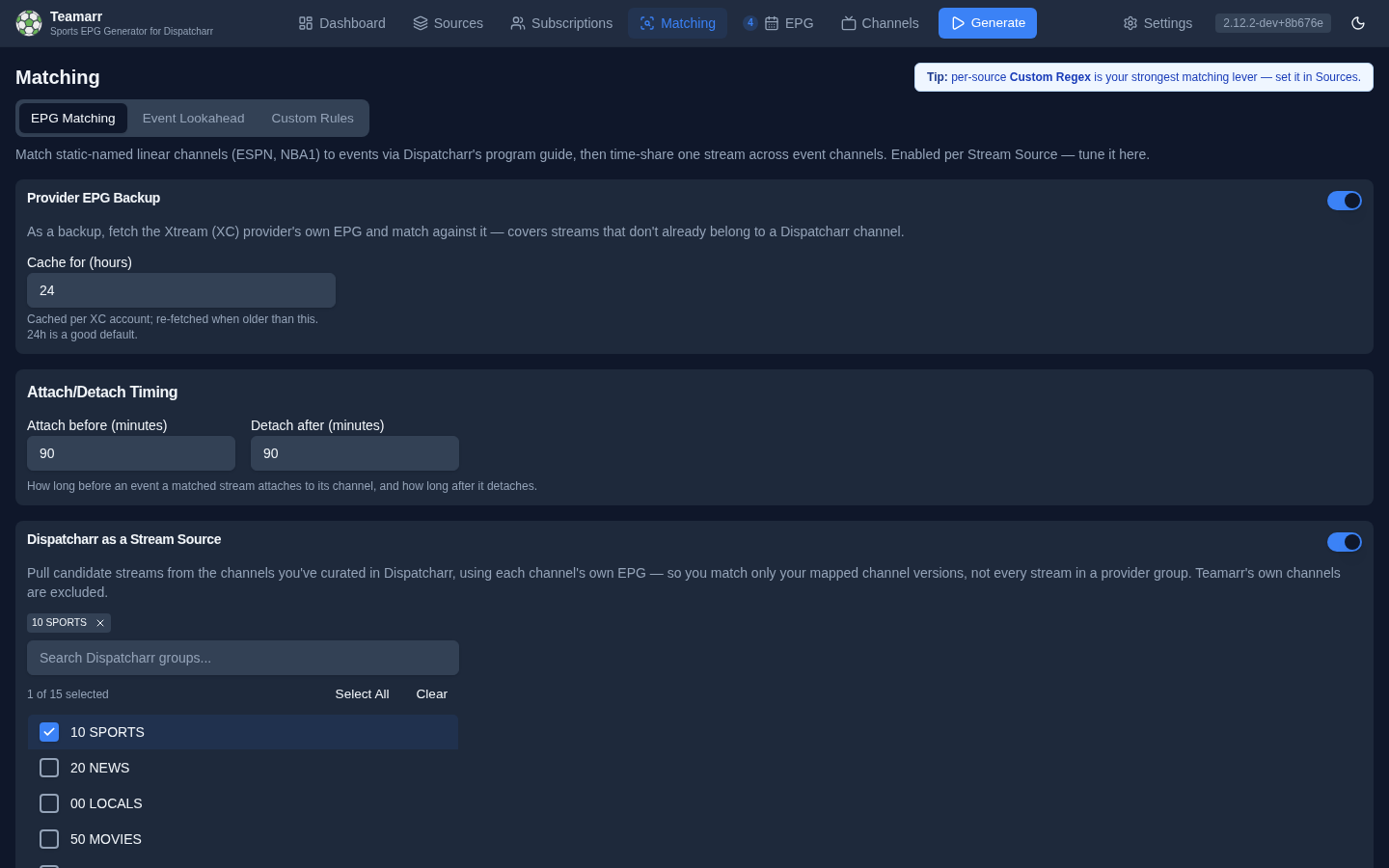
Global settings for matching static linear channels (ESPN, FS1) to events via Dispatcharr’s program guide:
- Provider EPG Backup — opt-in fallback to an Xtream (XC) provider’s own EPG for streams Dispatcharr has no guide for, with a Cache for (hours) control (default 24).
- Attach/Detach Timing — Attach before (minutes) / Detach after (minutes) buffers (default 60/60) controlling the time-share window around each matched program.
- Dispatcharr as a Stream Source — opt-in additive source that matches streams already curated onto Dispatcharr channels using each channel’s own EPG, with a Dispatcharr groups to include picker. Selected groups can optionally override the global stream profile. The highest-ranked active stream decides: its override applies when present, otherwise Teamarr uses the global profile.
The feature itself is enabled per source; see the full EPG Program Matching guide for how it works and every setting’s detail.
Event Lookahead
Controls how far ahead Teamarr matches streams to sporting events — streams are matched only to events within this window. Default is 3 days; options are 1, 3, 7, 14, or 30 days. A shorter window means fewer candidate events per run and faster generation.
Custom Rules
The classification library, in stacked collapsible sections (previously the Detection Library): Team Aliases, Event Type Detection, League Hints, Sport Hints, and Separators. Each section shows its entry count and has its own Add, Import, and Export actions.
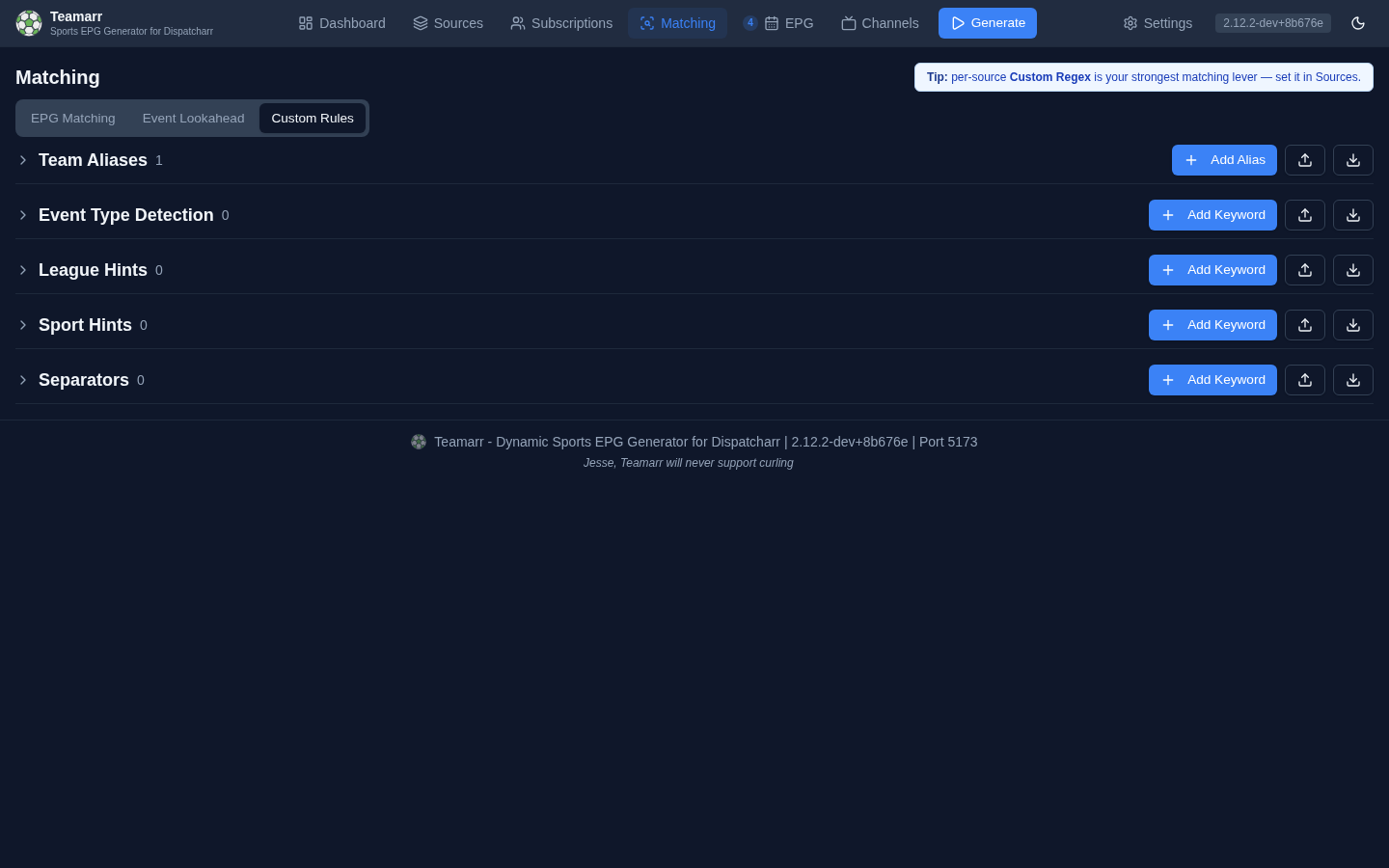
Team Aliases
Map alternate team names to their official names. IPTV providers often use shortened or unofficial team names (e.g., “Niners” instead of “San Francisco 49ers”). Aliases tell Teamarr to treat them as the same team.
| Column | Description |
|---|---|
| Alias | The alternate name that appears in stream names |
| Maps To | The official team name it resolves to |
| League | Which league the alias applies to |
| Actions | Delete button |
To add one: Add Alias → enter the alias text → select a league to filter the team list → select the team → Create.
Aliases can’t be edited in place or toggled — they’re active until deleted; to change one, delete and recreate it.
Your aliases sit on top of a built-in alias set that ships with Teamarr — user aliases take precedence over built-ins, so you can override a built-in mapping by creating your own. National teams also resolve through automatic country-name recognition (“brasil” → Brazil), so most country-name variants need no alias at all.
Event Type Detection
Keywords that identify fight-card / event-style streams. The effective Target Value is EVENT_CARD — a keyword like Fight Night tells Teamarr the stream is a card event rather than a team matchup. (The form also offers TEAM_VS_TEAM and FIELD_EVENT, but neither does anything today: team-vs-team is detected via separators, not keywords, and FIELD_EVENT is reserved for future use.)
| Column | Description |
|---|---|
| Keyword/Pattern | The keyword or regex pattern to match |
| Target | What the keyword maps to |
| Type | Text (literal match) or Regex (pattern match) |
| Priority | Higher numbers are checked first |
| Status | On/Off — disabled keywords are skipped |
| Actions | Toggle, Edit, Delete |
League Hints
Keywords that identify which league a stream belongs to. When a stream name contains a league hint keyword, Teamarr narrows its event search to that league.
| Keyword | Target | Effect |
|---|---|---|
UCL | uefa.champions | Streams with “UCL” match Champions League events |
La Liga | esp.1 | Streams with “La Liga” match Spanish Primera Division |
CFL | cfl | Streams with “CFL” match Canadian Football League |
Table columns are the same as Event Type Detection, with the Target showing the league code.
Sport Hints
Keywords that identify which sport a stream belongs to. Sport hints are checked when no league hint is found, providing a broader classification.
Some keywords are ambiguous across sports — “football” could mean American Football or Soccer. Sport hints support comma-separated targets to map one keyword to multiple sports:
| Keyword | Target | Effect |
|---|---|---|
football | Soccer, Football | Tries matching against both Soccer and Football events |
footy | Soccer | Only matches Soccer events |
hoops | Basketball | Only matches Basketball events |
When entering multiple sports, separate them with commas. They display as individual badges in the table.
Field hockey is recognised as its own sport rather than as hockey; no provider carries it, so those streams are filtered as unsupported instead of being tried against ice hockey games.
FloSports streams are hinted by their vertical out of the box: flofc: is Soccer, flofootball: Football, flohockey: Hockey, flovolleyball: Volleyball, flohoops: Basketball, and so on. flolive: names no sport and gets no hint.
Separators
Matchup delimiters that split a stream name into two teams. Teamarr ships with built-in separators (vs, @, at, x, contra, and others), and this section lets you add locale-specific ones your provider uses.
The most common reason to add one is the hyphen used by Spanish and other European EPGs:
| Stream name | Needs separator | Result |
|---|---|---|
España - Inglaterra | ` - ` | Splits into España vs Inglaterra |
Keep the surrounding spaces (
" - ", not"-") and add hyphen-style separators sparingly. A bare hyphen with no spaces matches inside ordinary words and hyphenated names, causing streams to be split incorrectly. Teamarr preserves the exact spacing you type for separators.
Separators are the one keyword category with no Target Value — the field is hidden for them.
Live-broadcast prefixes such as
DIRECTO,EN DIRECTO,EN VIVO,AO VIVO,DIRETTA, andDIREKTare stripped automatically during matching, so a stream likeDIRECTO España - Inglaterrais read asEspaña - Inglaterra. You don’t need to configure these.
Keyword Fields
All keyword sections (Event Type, League Hints, Sport Hints, Separators) share the same create/edit form:
| Field | Description |
|---|---|
| Keyword/Pattern | The text or regex to match in stream names |
| Regular expression | Toggle between literal text matching and regex |
| Enabled | Whether this keyword is active |
| Target Value | What the keyword maps to (event type, league code, or sport name). Hidden for Separators |
| Priority | Numeric priority — higher values are checked first |
| Description | Optional notes about the keyword |
Click the toggle icon in the Actions column to enable or disable a keyword without deleting it. Disabled keywords appear dimmed and are skipped during stream classification.
Import & Export
Each section has its own Import and Export actions — useful for sharing configurations or backing up your matching rules. Export downloads that section’s data as JSON (detection-keywords-<category>.json, team-aliases.json). Import reports what happened: keyword imports show created/updated counts (with a warning for any failures); alias imports show created/skipped counts.
Export your matching library before making major changes. If something goes wrong with matching after editing keywords, you can re-import the backup.
All-Star Games
League All-Star exhibitions (the MLB All-Star Game, the MLS All-Star Game, and others) are matched automatically — there’s nothing to configure. Providers name these streams generically, like MLB All-Star Game, which carries no real matchup. Teamarr recognizes the “All-Star” keyword together with a league hint and resolves the stream to that league’s single All-Star event for the day.
This works without hardcoding the teams, so it keeps working as the yearly opponent changes (for example, the MLS All-Stars face a different side each summer). It relies on the data provider listing both sides of the game as All-Star squads — the case for MLB and MLS. Leagues whose provider names the sides differently (divisions or captain-picked teams) aren’t recognized this way.
An All-Star stream still needs Stream Name matching enabled on its source, and the league must be in your subscription (or the source’s override).