Output
EPG → EPG Output (the sub-nav tab is labeled “EPG Output”) configures the XMLTV file Teamarr writes: where it goes, how much it covers, the Game Thumbs base URL, default event durations, and the generator metadata embedded in it.
Running a generation, previewing the XML, and reviewing run history live on the Dashboard. This page is only the output settings.
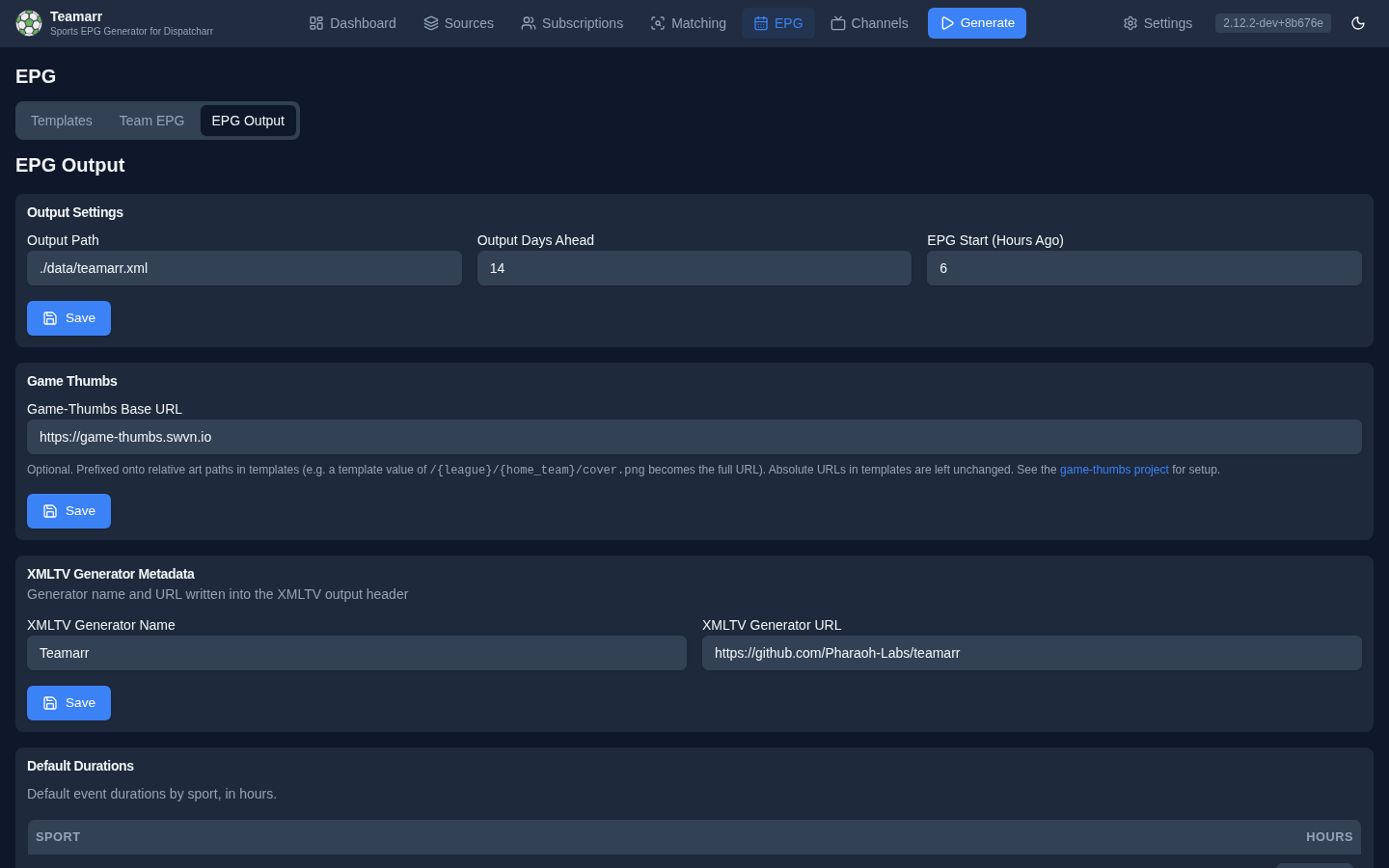
Output Path
Where to write the generated XMLTV file. Default: ./data/teamarr.xml.
The file is also served live at a copyable XMLTV URL (e.g. http://host:9195/api/v1/epg/xmltv) — the copy button is on the Dashboard status strip. Point Dispatcharr or a media player at that URL rather than the file path.
Output Window
- Output Days Ahead — how many days of EPG data to include (default 14).
- EPG Start (Hours Ago) — how many hours of already-started events to keep, so games still in progress aren’t dropped from the guide.
Game Thumbs
The Game-Thumbs Base URL field lives on this page — the host (and port) prefixed onto every relative art path in your templates at generation time. See Game Thumbs for the integration and Artwork & Game Thumbs for the path rules.
Default Durations
Default event durations (in hours) per sport, used when an event’s real duration is unknown:
| Sport | Default | Sport | Default |
|---|---|---|---|
| Basketball | 3.0 | MMA | 5.0 |
| Football | 3.5 | Boxing | 4.0 |
| Hockey | 3.0 | Tennis | 3.0 |
| Baseball | 3.5 | Golf | 6.0 |
| Soccer | 2.5 | Cricket | 4.0 |
| Rugby | 2.5 | Volleyball | 2.5 |
| Racing | 3.0 | Default (other) | 3.0 |
XMLTV Generator Metadata
Customize the generator name and URL written into the XMLTV header (default Teamarr and the project GitHub URL). Some media servers use these to identify the EPG source.